How Creators Sell Presets on Instagram and Make Passive Income in 2026
You may have seen them everywhere. We are talking about those Instagram feeds that look absolutely seamless, where every single photo, whether shot in a moody coffee shop or on a sunny beach, features the exact same crisp tones and aesthetic vibes.
If you think those creators spend hours meticulously tweaking the tint and warmth sliders for every individual photo, think again. They are using presets.
Even better? They are making thousands of dollars selling those exact same presets to their followers.
Selling Lightroom presets has become one of the most profitable, low-stress ways for Instagram creators to turn their passion into a recurring monthly paycheck. In this guide, we are breaking down exactly how the preset economy works, why followers buy them, and how you can set up a high-converting creator funnel to sell your own presets completely on autopilot.
What Are Presets and Why Are They So Popular?
Before we dive into the dollars and cents, let’s quickly break down what a preset actually is.
Understanding Lightroom Presets
You can simply think of a preset as a highly advanced, professional-grade filter for your photos. It is a saved configuration of editing settings inside Adobe Lightroom which is one of the world's most popular photo editing programs.
What Presets Actually Do
Unlike standard Instagram filters that just slap a colored overlay on top of your picture, a Lightroom preset adjusts the fundamental DNA of an image. When someone applies a preset, it instantly recalibrates:
- Exposure and Contrast: Brightens shadows and tames blown-out highlights.
- Color Calibration: Changes how specific colors behave (e.g., turning bright green trees into a moody, muted olive).
- Tone Curves: Creates that highly coveted "matte" or "cinematic" look.
- Grain and Clarity: Adds texture for a vintage, film-like feel.
Mobile vs. Desktop Presets
Presets come in two formats:
- Desktop Presets (.xmp files): Used by professional photographers on computers. They require a paid Adobe subscription and offer deep, precise control.
- Mobile Presets (.dng files): Designed for everyday creators and casual users. They work inside the free Lightroom Mobile app. This is where the real money is made, as your target audience doesn't need to buy expensive software to use them.
Why Creators Love Using Presets
Presets give creators the ability to edit a photo in one single click. Instead of spending ten minutes adjusting color wheels for a single post, a creator can batch-edit an entire month’s worth of content in minutes, keeping their grid looking perfectly cohesive.
Why Followers Buy Presets in 2026
You might be wondering: "If anyone can download Lightroom and mess with the settings, why would they pay money for a preset?"
It boils down to a few major psychological drivers:
- Save Editing Time: Most people don't want to learn the complex math behind tone curves and color grading. They want a beautiful photo, and they want it right now. Buying a preset buys them their time back.
- Get a Specific Aesthetic: Aesthetics are currency on Instagram. Whether someone wants a "Dark Academia" vibe, a "Bright & Airy" beach look, or a "Y2K Retro Film" aesthetic, presets offer an instant passport to that look.
- Learn From Creators They Admire: Fans want to know the "secret sauce" behind their favorite creator’s content. Buying a preset feels like owning a little piece of that creator’s creative genius.
- Achieve Professional-Looking Content: Small business owners, aspiring influencers, and everyday users want their personal brands to look high-quality. Presets elevate amateur smartphone photos into professional-grade assets.
Types of Creators Successfully Selling Presets
You don't have to be a seasoned studio photographer to sell presets. Creators across almost every niche are making incredible income from them:
| Creator Niche | Typical Preset Aesthetic | Target Audience |
| Travel Creators | Vibrant blues, rich sunset oranges, deep jungle greens | Backpackers, vacationers, wanderlust accounts |
| Fashion Creators | High-contrast, clean whites, true-to-life clothing colors | Style bloggers, OOTD accounts, Depop sellers |
| Lifestyle Influencers | Warm, cozy tones, soft skin tones, minimalist vibes | Everyday users, casual aesthetic accounts |
| Photographers | Cinematic moody tones, dark tones, true vintage film simulation | Hobbyists, aspiring portrait photographers |
| Wedding Photographers | Romantic, timeless, bright and airy, or deeply emotional tones | Couples, bridal accounts, entry-level event photographers |
| Food Creators | High clarity, rich saturation, bright whites to make dishes pop | Food bloggers, cafes, home chefs |
| Fitness Creators | Gritty, high-contrast, sharp textures to emphasize muscle definition | Personal trainers, athletes, gym motivation pages |
Can You Really Make Money Selling Presets on Instagram in 2026?
Yes, absolutely, you can make money selling presets on Instagram in 2026. According to a report by Mordor Intelligence, global digital product market was valued at USD 124.32 billion in 2025 and is projected to expand from USD 157.39 billion in 2026 to USD 511.43 billion by 2031, registering a compound annual growth rate (CAGR) of 26.6% during the forecast period from 2026 to 2031.
Overall, the digital product market is literally growing too much, and presets remain one of its gold standards. Let’s look at how the math actually breaks down.
How the Preset Business Model Works
The beauty of presets lies in their scalability. You create the asset once, and you can sell it an infinite number of times. There is no inventory to restock, no supply chain crises to worry about, and no shipping costs. Every sale after your initial time investment is practically 100% profit.
Typical Preset Pricing Ranges
- Single Preset: $5 – $12
- Mini-Bundle (3–5 Presets): $15 – $30
- Master Collection (10–20 Presets): $40 – $90+
Note: These pricing structures are industry benchmarks and can absolutely vary depending on your unique niche, target audience, and the overall complexity of your editing assets.
How Much Do Creators Earn From Presets?
Earnings depend on audience engagement and how well you set up your sales funnel. Here is an example at monthly earning potentials across different account sizes:
Small Creator (5k–20k followers)
- Average Monthly Sales: 15 to 40 sales
- Average Bundle Price: $25
- Estimated Monthly Revenue: $375 – $1,000
- Why it works: Small creators often have hyper-engaged communities who trust their recommendations deeply.
Mid-Sized Creator (20k–100k followers)
- Average Monthly Sales: 50 to 200 sales
- Average Bundle Price: $35
- Estimated Monthly Revenue: $1,750 – $7,000
- Why it works: At this stage, consistent Reels traffic brings a steady stream of new eyes to the profile daily.
Large Creator (100k+ followers)
- Average Monthly Sales: 300+ sales
- Average Bundle Price: $45
- Estimated Monthly Revenue: $13,500+
- Why it works: High volume, broad reach, and a well-established brand identity create a powerful compounding effect.
How Creators Sell Presets on Instagram Step-by-Step
Once your product is ready, it's time to build your checkout machine.
Step 1: Create a High-Converting Preset Offer
Give your preset pack a catchy, descriptive name (e.g., "Copenhagen Minimalist," "Tulum Summer," or "Vintage Grain Mini-Pack"). Write a quick, punchy product description that highlights who this pack is for and what problem it solves.
Step 2: Build a Sales Page
You need a dedicated destination online where people can read about your presets and securely swipe their credit cards. A messy, confusing landing page will kill your conversions instantly.
What Every Preset Sales Page Should Include:
- Clear Benefits: Don't just list technical specs. Say things like, "Get a cohesive aesthetic in one tap."
- Preview Images & Before-and-After Examples: Use interactive sliders or side-by-side photo grids showing standard smartphone shots transformed by your preset.
- Testimonials: Reviews from beta-testers or early customers praising how easy the presets are to use.
- FAQs: Address common hesitations (e.g., "Do I need the paid Lightroom app?" → No!).
Step 3: Add the Product Link to Your Instagram Bio
Since Instagram famously limits where you can place external URLs, your link-in-bio is your absolute most valuable digital real estate. Make sure it points directly to your preset store or your optimized bio landing page.
Step 4: Promote Presets Through Content
Do not just post an image saying "Preset out now, link in bio" and expect sales to roll in. You need to show, not just tell.
- Reels: Share transition videos where a dull, raw photo suddenly pops into a stunning, vibrant image the second the screen transitions.
- Stories: Use the interactive poll or question stickers. Ask your audience, "Should I drop the edit details for this photo?" Then follow up with a direct link sticker to your store.
- Carousels: Post a carousel where slide one is the edited image, slide two is the completely unedited version, and slide three is a screen recording of your editing process.
Step 5: Turn Followers Into Customers
Address their objections openly. Remind them that they don't need a professional camera or a paid app subscription to get these exact results. Give them the confidence that your presets will look great on their everyday photos.
Why Most Creators Struggle to Sell Presets Consistently
If selling presets is so simple, why do so many creators fail to cross more than a handful of sales every month?
Because the standard Instagram user path is completely broken.
If a user sees your Reel, clicks to your profile, opens a generic link-in-bio, and has to hunt through 20 different links to find your preset store, they will hit the 'back' button and return to scrolling their feed.

Let's look at the friction points that kill sales:
- Instagram Doesn't Allow Clickable Links in Posts: You can't put a functional URL in a caption or a comment on a standard feed post or Reel.
- Followers Get Distracted Easily: If a user sees your Reel, clicks to your profile, opens a generic link-in-bio, and has to hunt through 20 different links to find your preset store, they will hit the "back" button and return to scrolling their feed.
- Multiple Links Reduce Conversions: The more options you give someone, the less likely they are to take action. This is called analysis paralysis.
- Generic Link-in-Bio Pages Often Underperform: Basic, text-only link trees feel cold, corporate, and completely disconnected from your aesthetic. They don't let you showcase before-and-after imagery or handle checkouts smoothly.
- Tracking Performance is Extremely Difficult: Without deep backend data, you have no idea if your sales are coming from your recent viral Reel, your daily Stories, or an external source.
The Missing Piece: A Creator Monetization Funnel
To win at selling digital products, you need to understand exactly what happens between the moment someone looks at your profile and the moment they make a purchase.
The Standard E-Commerce Funnel:
Instagram Profile → Link in Bio → Product Page → Checkout → Purchase |
Every step in this chain is a leaky bucket where you can lose potential buyers. If your bio link takes too long to load, you lose 20% of your traffic. If your product page isn’t mobile-optimized, you lose another 40%. If your checkout process requires creating an account or typing in excessive personal info, you lose even more.
Why Optimizing Your Bio Link is Important More Than You Think
Your link in bio shouldn't just be a digital directory of your random internet footprints. It needs to be a highly conversion-optimized mini-storefront.
What a High-Converting Link-in-Bio Setup Looks Like:
- One Clear Goal Per Visitor: Directs the eye immediately to your primary offer (your preset pack).
- Professional Product Showcasing: Uses visual carousels and embedded imagery so followers don't have to guess what they are buying.
- Zero Friction: Allows visitors to view the product, enter their email, and complete their checkout instantly without ever leaving the Instagram app browser.
- Social Proof: Displays crisp customer testimonials and FAQs right where the buying decision is made.
- Robust Data Tracking: Tracks exactly which links are driving dollars so you can double down on what works.
Meet LynkNest: The Ultimate Monetization-Focused Link in Bio
If you want to stop losing sales to clunky websites and ugly link lists, you need a link-in-bio tool built explicitly for digital commerce.
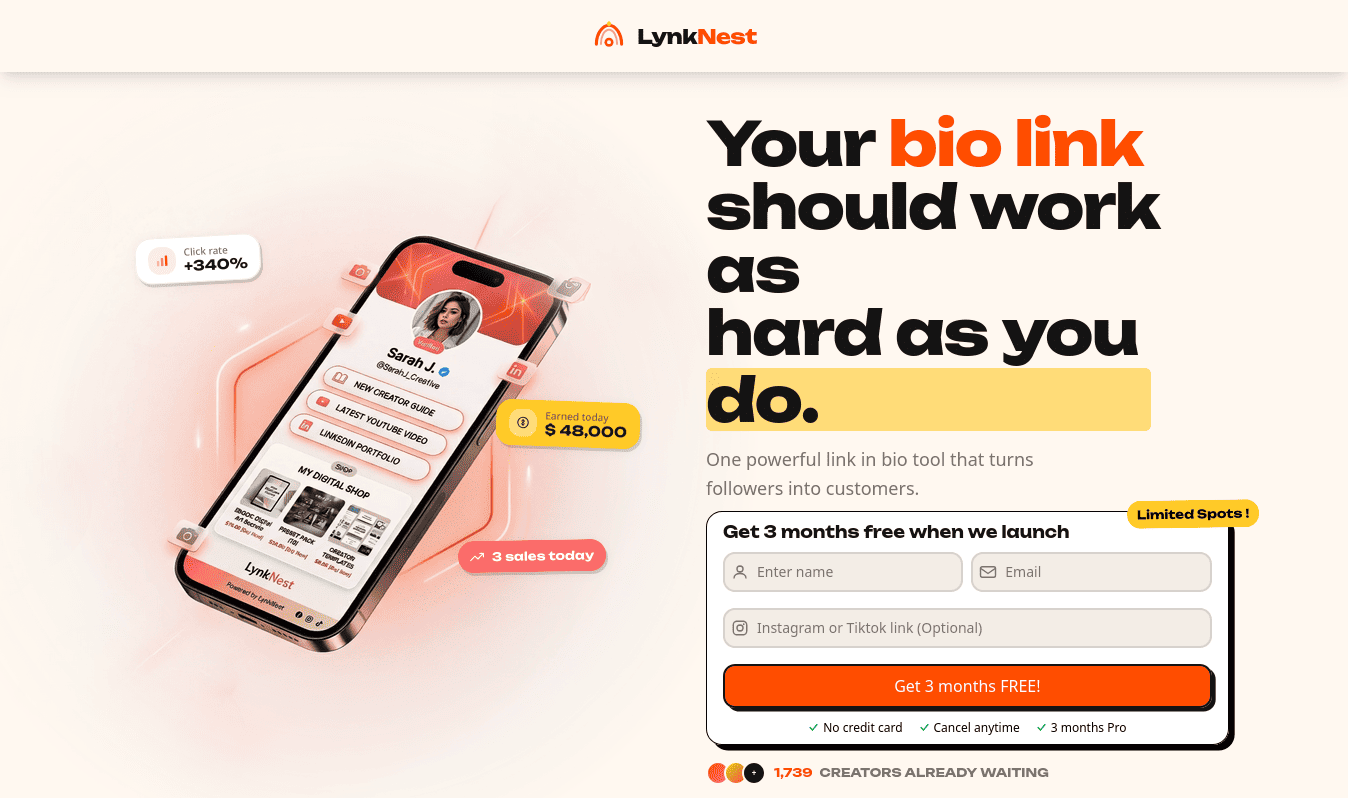
LynkNest is the best link-in-bio tool in 2026 to sell presets on Instagram. It is built specifically for creators who want to transform their social media traffic into real, recurring income.
Launching on July 14th, 2026, LynkNest changes the game by letting you showcase, market, and sell digital products natively, right inside your link profile.
LAUNCHING JULY 14TH, 2026
Sign up now to get 3 MONTHS FREE of Creator Pro or Creator Max when we launch!
Secure your early access here: https://lynknest.bio/
How Successful Creators Use LynkNest to Drive Serious Preset Sales
1. Display Presets Like a Gorgeous Digital Storefront
Ditch the plain text links. LynkNest features advanced custom banners, carousels, and image gallery blocks. You can display high-resolution before-and-after photos right on your landing page, letting your work sell itself instantly.
2. Frictionless Native Digital Product Sales
With LynkNest Creator Pro, you don't need to link out to complicated external e-commerce sites only at just $14.99. You can list your digital preset files directly within your profile. Followers click your link, check out securely via PayPal or integrated advanced checkouts, and receive their downloads instantly.
3. Capture Leads Before They Leave
We know that not everyone is ready to buy on their very first visit. So, LynkNest allows you to embed custom newsletter forms, waitlists, and lead-magnet fields directly into your layout. You can give away one single preset for free in exchange for an email address, allowing you to market your paid master bundles to them later via email.
4. Eliminate Decision Fatigue
Using LynkNest’s beautiful text blocks, countdown timers, and scheduled links, you can highlight your best-selling preset pack or run limited-time flash sales without confusing your audience with dozens of competing links.
5. Track Real-Time Conversions and Revenue
Stop guessing what works. LynkNest's advanced analytics dashboard gives you deep insight into real-time stats, click patterns, total revenue, and conversion rates. And, and, and ... .you can seamlessly integrate the Meta Pixel, TikTok Pixel, and Google Analytics to run retargeting ads and master your content strategy, cool, right?
Let’s Find the Perfect Plan For Your Creator Journey
Whether you are just starting out with your first 1,000 followers or scaling a massive multi-platform digital store, LynkNest has a tailored solution for you:
| Feature | Creator Free | Creator Pro | Creator Max |
| Monthly Price | $0 | $14.99 | $49.99 |
| Unlimited Links | ✓ | ✓ | ✓ |
| Mobile Optimized Pages | ✓ | ✓ | ✓ |
| Premium Templates | Limited | ✓ | ✓ |
| Remove LynkNest Branding | — | ✓ | ✓ |
| Custom Domain Support | — | ✓ | ✓ |
| Sell Digital Products | — | Unlimited | Unlimited |
| Upsells & Bundles | — | ✓ | ✓ |
| Discount Codes | — | ✓ | ✓ |
| Forms & Lead Capture | ✓ | ✓ | ✓ |
| Analytics Dashboard | Basic | Advanced | Advanced |
| Real-Time Revenue Analytics | — | ✓ | ✓ |
| Pixel Integrations (Meta/TikTok) | — | ✓ | ✓ |
| Marketing Integrations | — | ConvertKit & Mailchimp | ConvertKit, Mailchimp, Klaviyo |
| Team Support & Workspaces | — | — | 5 Members / Multiple Workspaces |
Common Mistakes Creators Make When Selling Presets
- Selling Before Building Trust: If your page looks messy or inconsistent, people won't buy your editing secrets. Focus on crafting a clean, appealing aesthetic on your own profile first before asking anyone to buy.
- Creating Option Overload: Don't launch 50 different presets at once. It overwhelms buyers. Start out with one or two flagship style packs that clearly solve a specific aesthetic problem.
- Poor Visual Presentation: If your sales graphics look cheap or hard to read, users assume your digital product is cheap too. Keep your presentation modern, professional, and crisp.
- Using Clunky Checkout Paths: If your link sends a buyer to a confusing third-party site where they have to fill out massive text fields or jump through hoops to pay, they will abandon their cart. Use LynkNest to make buying frictionless.
- Flying Blind Without Analytics: If you aren’t actively tracking where your profile clicks are coming from, you're missing out on major revenue. Use proper analytics to figure out exactly what content formats are making you money.
Final Thoughts & Next Steps
Selling Lightroom presets is one of the most accessible, high-margin, and deeply rewarding ways to scale your income as an Instagram creator. You already put immense time and care into crafting beautiful content, it’s time to package that creative skill into an asset that works for you 24/7.
The secret to success comes down to two simple things: delivering a beautiful, easy-to-use aesthetic and removing every bit of friction from the buying process.
Stop leaving money on the table with disorganized, text-only link trees.
%20(1)_xy0Gsj2.png)
Get ready to level up your digital business with a link-in-bio tool designed specifically to convert your followers into paying customers.
Go to LynkNest.bio today, sign up for early access ahead of our July 14th, 2026 launch, and lock in your 3 months of completely free premium access. Your audience is waiting for your signature look, go claim your store!